In today’s hyper-competitive landscape, an outdated ERP isn't just a technical nuisance, it’s a bottleneck to growth. Transitioning to a modern ERP platform is no longer about "upgrading software"; it’s about unlocking operational agility, integrating AI-driven insights, and drastically reducing Total Cost of Ownership (TCO).
This guide outlines the strategic roadmap for a seamless ERP migration, helping you avoid costly pitfalls and ensure your investment delivers a high ROI from day one.
Why Legacy ERPs are Costing You More Than You Think?
Many US businesses hesitate to migrate due to perceived complexity. However, the hidden costs of “staying put” are often higher:
- Data Silos. Lack of real-time visibility across departments.
- Scalability Walls. Inability to expand into new markets or product lines.
- High Maintenance. Spending more on "keeping the lights on" than on innovation.
- Security Risks. Vulnerabilities in aging infrastructure that modern threats easily exploit.
We recommend to check your ERP with our checklist Is your ERP ready for change? Key signs that it's time to act
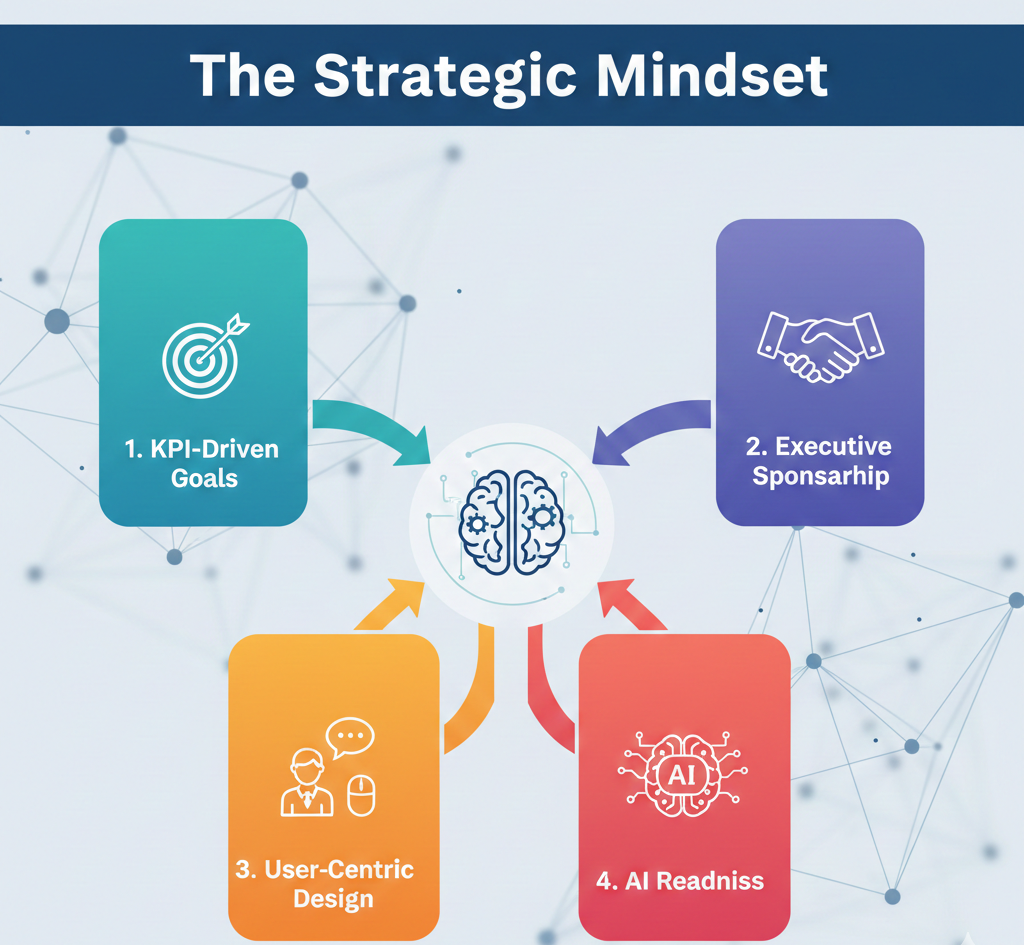
The Strategic Mindset – Business First, Technology Second
A successful ERP migration is a business transformation, not an IT project. To secure executive buy-in and ensure success, follow these pillars:
- KPI-Driven Goals. Don't just automate; optimize. Define success through metrics like reduced order-to-cash cycles or improved inventory turnover.
- Executive Sponsorship. Migration requires a “top-down” mandate to overcome departmental resistance.
- User-Centric Design. If your team finds the system difficult to use, adoption will fail regardless of the features.
- AI Readiness. Ensure the new architecture supports machine learning for predictive analytics and automated workflows.
Based on the above points, after implementation, ERP will become a real driver of growth and efficiency for the company.
The ERP Migration Roadmap: A 7-Step Execution Plan
1. Discovery & Process Optimization
Before looking at vendors, audit your current workflows. Don't pave the cow path — meaning, don't automate inefficient manual processes. Identify bottlenecks and streamline them before they are coded into the new system.
2. Strategic Vendor Selection
Evaluate platforms based on scalability, cloud capabilities, and industry-specific modules. Focus on Integration Flexibility: how well will this ERP “talk” to your existing CRM, HR, and supply chain tools?
3. Data Cleansing & Strategy
Data migration is the #1 point of failure.
- Audit – identify what stays and what goes.
- Cleanse – fix duplicates and inconsistencies in your legacy databases.
- Map – ensure a 1:1 data field match between old and new systems.
4. Agile Configuration & Integration
Build the system in sprints. Configure the core functionality first, then integrate third-party APIs. This allows for early troubleshooting and prevents "big bang" failures at launch.
5. Rigorous Testing (The Pilot Phase)
Conduct a Pilot Launch in a controlled environment. Beyond technical bugs, focus on User Acceptance Testing (UAT) to ensure the interface meets the practical needs of your frontline staff.
6. Deployment & "Sunsetting"
Once UAT is approved, move to the production environment. Have a dedicated support team on standby for the "Go-Live" week. Once stable, officially sunset the legacy system to cut maintenance costs immediately.
7. Post-Launch Optimization & Support
The "Go-Live" is just the beginning. Monitor KPIs, gather user feedback, and begin implementing advanced AI modules once the core system is stabilized.
You may also like the article Investment or Expense? A CEO’s Guide to ROI of ERP
How to Architect a High-ROI Migration Strategy?
The most difficult part of migrating to a new ERP is getting started. To ensure a smooth start and the success of the entire project, it is important to focus on the following key steps:
- Strategic analysis of business processes and goals.
- Audit of the current ERP and data.
- Careful planning.
- Team and role formation.
Pay attention! Data migration is often considered one of the most difficult and labor-intensive parts of an ERP project. Companies usually have large amounts of historical data, corporate databases may contain duplicates or inconsistencies, and there is always a risk of information loss during transfer.
Top 5 Pitfalls to Avoid
Transitioning to a new ERP is a complex process, and even experienced companies often encounter problems. Below are the main mistakes and recommendations on how to avoid them.
- Underestimating the “People” Factor. Resistance to change kills more projects than bad code. Prioritize internal communication.
- Scope Creep. Adding "nice-to-have" features mid-project inflates budgets. Stick to the MVP (Minimum Viable Product) first.
- Ignoring Mobile Accessibility. In the US, a "Desktop-only" ERP is a non-starter. Ensure full mobile functionality.
- Poor Data Hygiene. Garbage in, garbage out. If your data is messy, your new AI insights will be worthless.
- Vendor Lock-in. Avoid proprietary systems that make it impossible to export your data in the future.
Following these recommendations helps minimize risks, reduce implementation time, and ensure the effective operation of the new ERP, transforming it into a tool for business growth and optimization.
Conclusion: The Market Won’t Wait
In 2026, agility is the ultimate competitive advantage. Every day spent on a legacy system is a day your competitors are using AI and real-time data to outmaneuver you. Start your migration today to build the foundation for a scalable, automated tomorrow.
FAQ
While the timeline varies based on business size, a standard ERP migration generally takes 6 to 12 months. This includes phase-zero discovery, data cleansing, configuration, and user training. Rushing this process often leads to "scope creep," so we recommend a phased approach to ensure stability.
The primary risk isn't technical — it's data integrity and user adoption. Migrating "dirty data" (duplicates or errors) into a new system will compromise your analytics. Similarly, if your team isn't properly trained, they may revert to manual processes, nullifying the ROI of the new system.
The budget for an ERP transition depends on your organization’s scale, the complexity of your business processes, and the specific functional requirements of the new system. A comprehensive budget should cover not only software licensing but also critical phases like data cleansing, system integration, and team training. For a detailed breakdown of how to allocate resources effectively and avoid hidden costs, please refer to our guide ERP Implementation Costs Explained